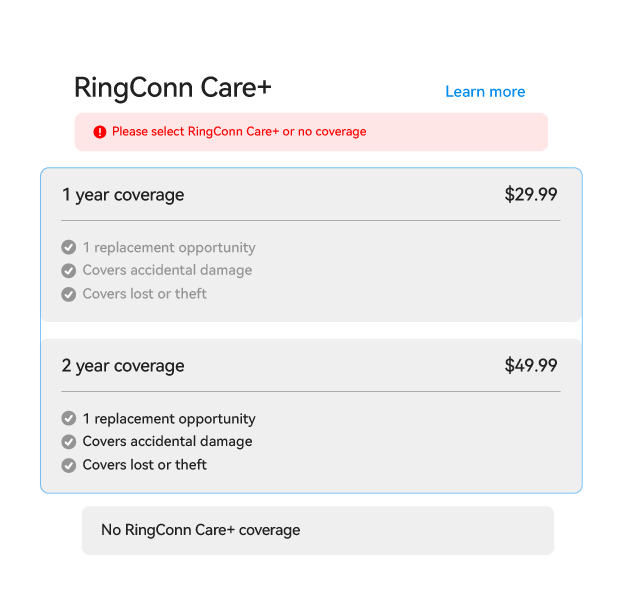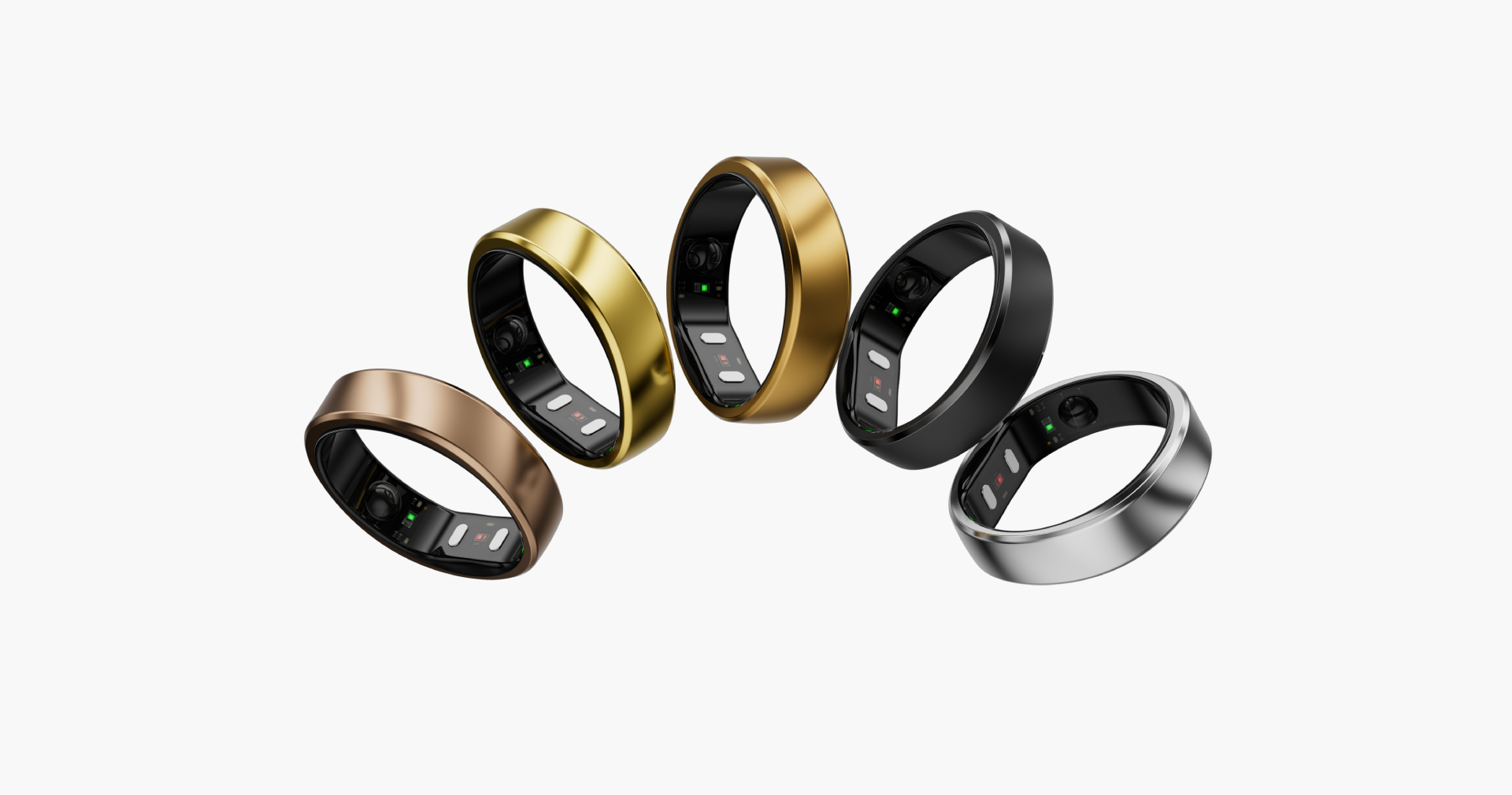
RingConn Care+
Extended protection for your RingConn Journey
RingConn Care+服務範圍
意外損壞
如果您的戒指由於掉落、撞擊或佩戴而損壞,則被覆蓋。
防盜保護
戒指遭竊時可申請更換服務,讓保障更安心。

遺失戒指更換服務
如果您不小心把戒指弄丟了,您可以把它換掉。
如何使用啟用碼?

1.購買並取得您的代碼
在官方網站上購買 RingConn Care+,然後在訂單電子郵件或訂單頁面上找到您的啟用碼。
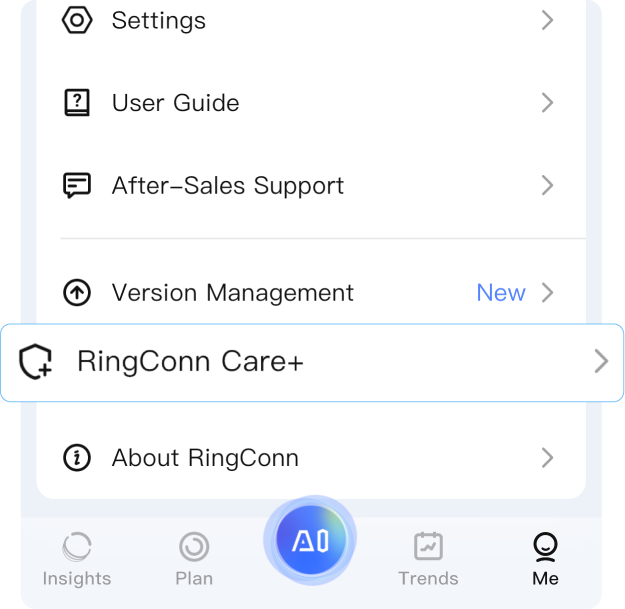
2.開啟App並導航
將您的戒指與應用配對,然後轉到 “我” → “RingConn Care+”。
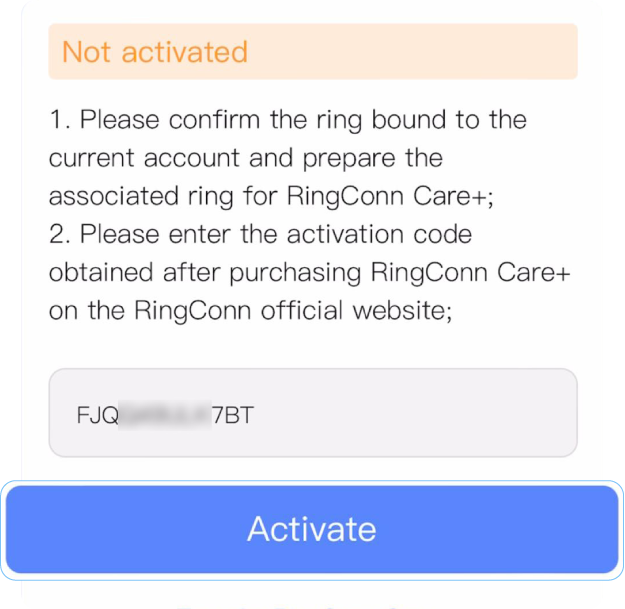
步驟3:輸入和啟用
複製並貼上您的啟用代碼到欄位中,然後點擊 “啟用”。
丟了您的戒指?
這裡是如何得到一個新的
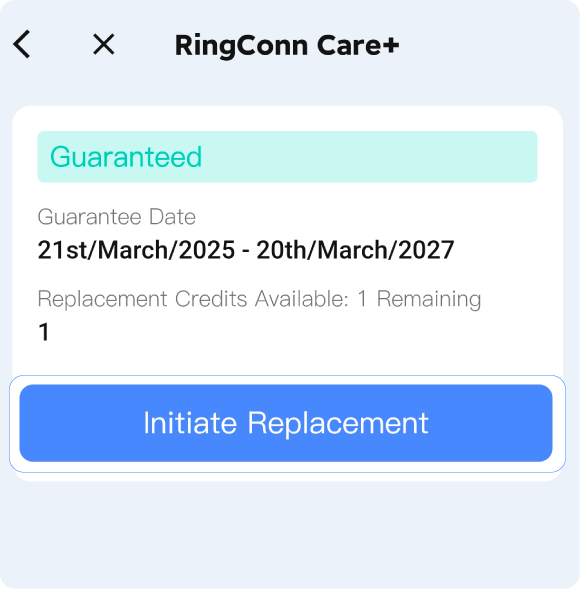
STEP 1
開啟App,進入 “我” → “RingConn Care+” → “開始更換”
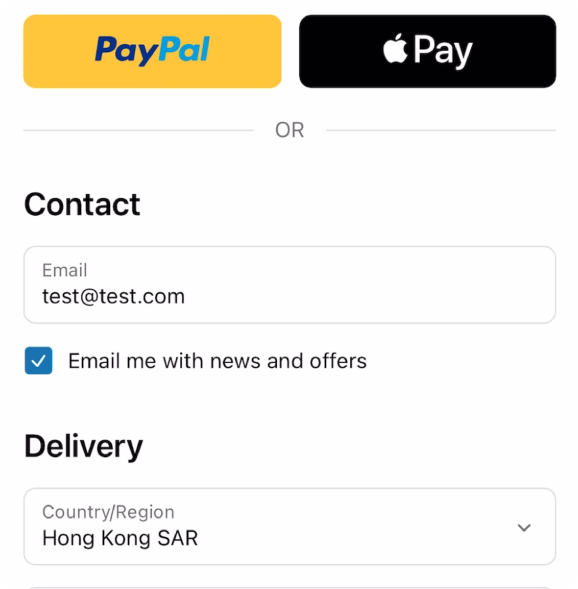
STEP 2
Enter your RingConn app email, shipping details, and pay the shipping fee.

STEP 3
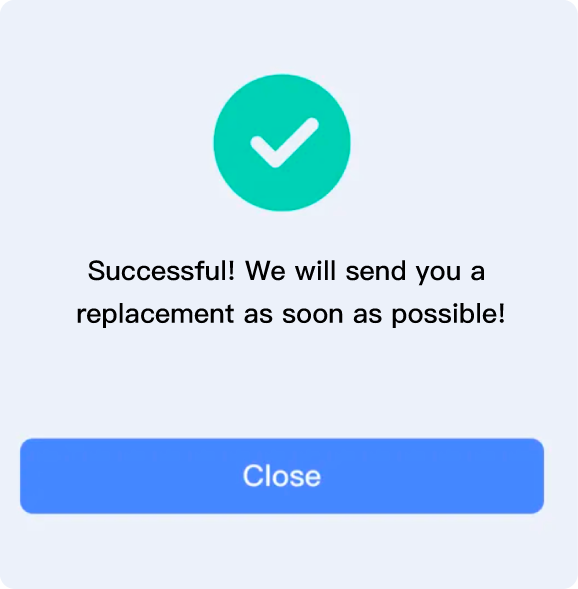
一旦完成,坐下來等待您的新戒指到來。
更換詳細資訊
1. Replacement ring does not include accessories, only the ring itself.The new ring will have the same size and color as the original.
2. A $10 shipping fee applies per replacement.
3. Once shipped, the old ring will be deactivated after 30 days for security reasons.
FAQ
我可以在不同的戒指型號上使用我的 RingConn Care+啟用碼嗎?
編號。啟用碼是特定型號的,不能在不同的鈴聲版本之間轉移。
- If you purchased Care+ for Gen 2, the Activation Code will only work with Gen 2.
- If you purchased Care+ for Gen 2 Air, the Activation Code will only work with Gen 2 Air.
Please make sure the code matches your ring model before activation.
我可以用 RingConn Care+更換遺失的充電盒嗎?
不, RingConn Care+只包括智慧戒指。它不包括充電盒、電纜或其他配件。
哪些產品符合 RingConn Care+條件?
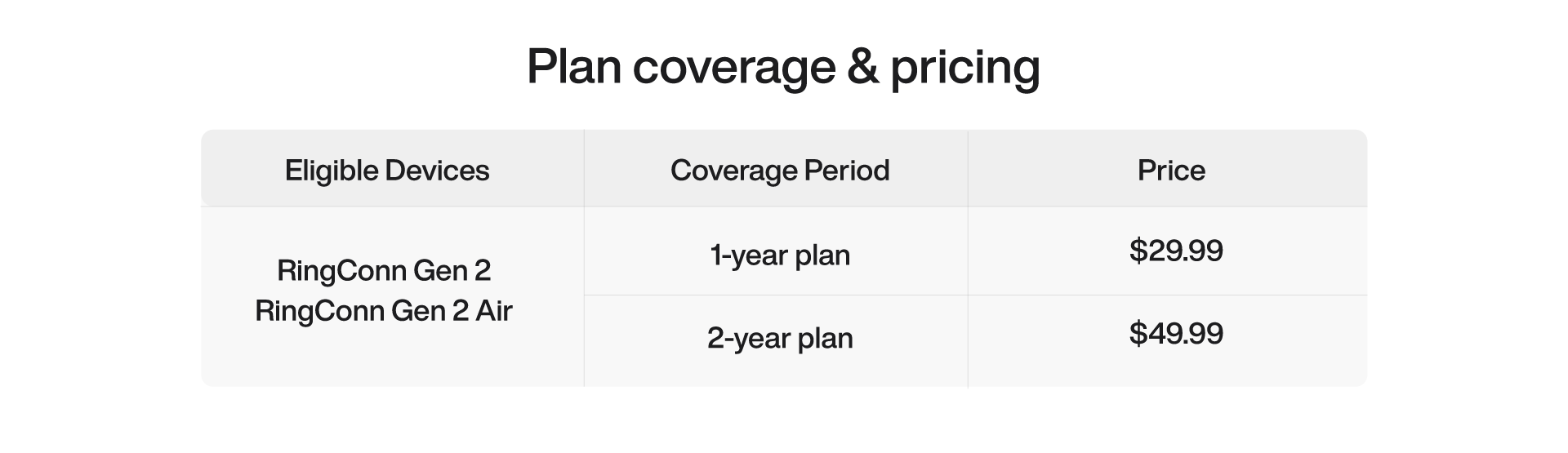
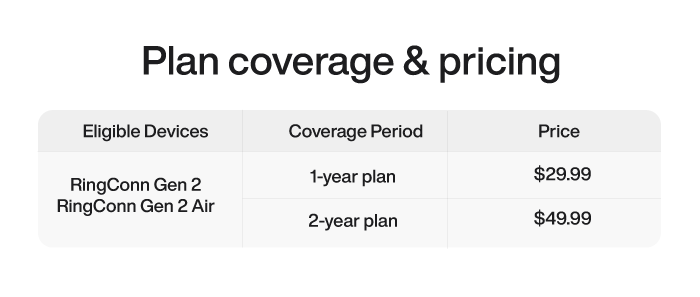
RingConn Care+適用於 RingConn Gen 2 和 RingConn Gen 2 Air。它僅適用於購買這些裝置的新使用者。
RingConn Care+承保什麼情況?
RingConn Care+ 提供意外損壞、竊盜保障與遺失戒指更換服務。
我如何檢查我的 RingConn Care+狀態?
開啟 RingConn App,然後轉到我 → RingConn Care+。
我如何啟用 RingConn Care+?
After receiving your ring, pair it with the RingConn app.
Copy the 12-digit activation code from your order confirmation email or order page.
Open the RingConn app and navigate to Me → RingConn Care+.
Paste your activation code into the field and tap Activate.
我可以申請 RingConn Care+ 退款嗎?
可以。若您依 RingConn 官方退貨政策於 14 天內退回戒指,可一併申請 RingConn Care+ 退款。若已超過退貨期限,或已使用 RingConn Care+ 更換戒指,則無法退款。
若在保固期內更換戒指,RingConn Care+ 會轉移到新戒指嗎?
Yes, the remaining RingConn Care+ coverage will transfer to your replacement ring, but you need to restore it manually.
Open the RingConn app and go to Me → RingConn Care+ → Transfer RingConn Care+.
Enter the serial number (SN) of your original ring and your activation code as prompted, then tap Transfer.
如何查找原戒指的序號(SN):
如何查找原戒指的序號(SN):
1.From the app: Go to Me → About My Ring → Serial Number, then copy it.
2.On the packaging: Check the original ring's box.
3.From the app's support section: Navigate to Me → After-Sales Support → Feedback.